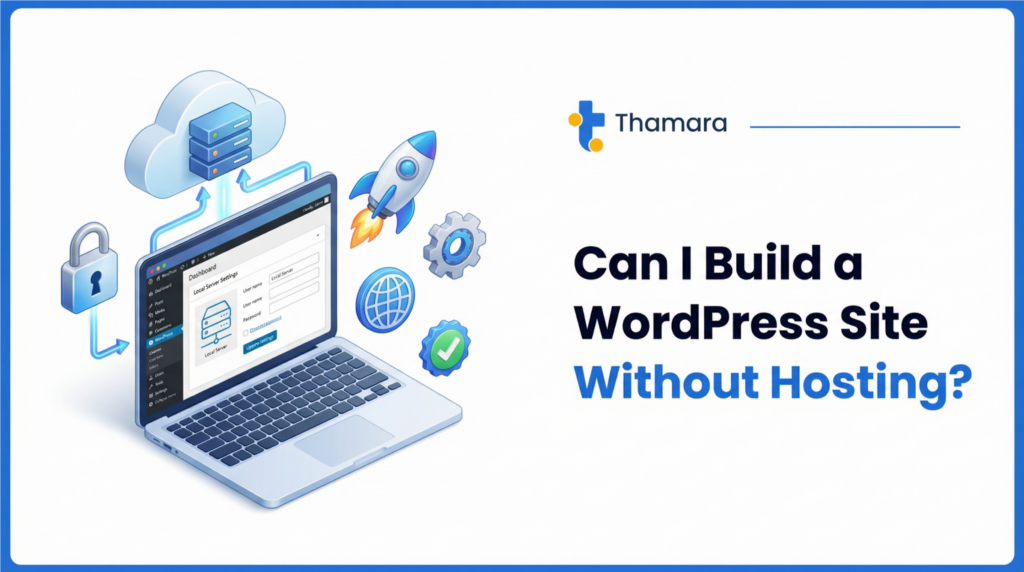
The short answer is yes, you can build a WordPress site without hosting. However, the more important question is whether you should, and how long that setup will serve your needs. For beginners, freelancers, and small business owners looking to explore web development without immediate financial commitment, building a WordPress website without hosting offers a risk-free environment to learn and experiment.
In this comprehensive guide, we will explore the exact methods you can use to build a WordPress site without traditional web hosting. We will examine local installations, free alternatives, and the critical limitations you will eventually face. Most importantly, we will guide you through the transition from a free setup to a professional, live website using reliable solutions like Thamara Hosting.
Understanding WordPress: Hosted vs Self-Hosted
Before diving into the methods of building a site without hosting, it is crucial to understand the fundamental difference between the two versions of WordPress. This distinction often causes confusion for beginners but is the key to understanding your options.
WordPress.org is the self-hosted version of the platform. It is a free, open-source content management system (CMS) that you can download and install anywhere. Because it is just software, it requires a web server (hosting) to be accessible on the internet. This version offers complete freedom, allowing you to install any theme, use any plugin, and monetize your site however you choose.
Conversely, WordPress.com is a hosted service created by the co-founder of WordPress. It operates more like a website builder (similar to Wix or Squarespace). With WordPress.com, the hosting is included, and they offer a completely free tier. However, this convenience comes at the cost of control. The free version restricts your ability to install custom plugins, limits your theme choices, and places ads on your website that you cannot control.
Building WordPress Locally Without Hosting
The most robust way to build a WordPress site without paying for hosting is to create a local installation. This means turning your personal computer (Windows or Mac) into a temporary web server. Your website will function exactly as it would on the internet, but it will only be accessible from your specific computer.
This method is highly favored by developers and designers who want to build, test, and perfect a website before making it public. It provides a safe sandbox environment where mistakes will not affect live visitors.
To set up a local WordPress installation, you need software that mimics a web server environment. The most popular tools for this are XAMPP, MAMP, and Local by Flywheel. These programs install Apache (the web server), MySQL (the database), and PHP (the programming language WordPress uses) onto your machine.
Once the local server software is installed, you simply download the core WordPress files from WordPress.org, place them in the designated local directory, and run the famous five-minute installation process. From that point forward, you can access your WordPress dashboard by typing “localhost” into your web browser. You have full administrative access to install premium themes, test complex plugins, and design your entire site architecture without spending a single dollar on hosting.

How to install WordPress locally using XAMPP or Local by Flywheel
Free WordPress Alternatives (WordPress.com, Wix)
If the technical process of setting up a local server seems daunting, there are online alternatives that allow you to build a site without purchasing traditional hosting. These platforms provide the infrastructure for you, usually in exchange for displaying their branding on your site.
The most direct alternative is the free tier of WordPress.com. By signing up for an account, you can immediately start building a site. You will be assigned a subdomain (e.g., yourbusiness.wordpress.com) rather than a custom domain name. While this is an excellent way to practice writing content and using the WordPress block editor, it is severely restricted. You cannot upload custom themes, you are barred from using the vast repository of WordPress plugins, and you have limited storage space.
Other website builders like Wix or Weebly also offer free tiers that include hosting. While these are not WordPress, they serve a similar purpose for those looking to build a site without upfront costs. However, like WordPress.com, these free plans come with forced advertisements, unbranded subdomains, and limited functionality. They also make it notoriously difficult to migrate your content away from their platforms if you ever decide to upgrade to a professional setup.
| Feature | Local Installation (WordPress.org) | WordPress.com (Free Tier) | Professional Hosting |
| Cost | Free | Free | Paid (Monthly/Annually) |
| Custom Domain | No (Localhost only) | No (Subdomain only) | Yes |
| Plugin Access | Unlimited | Restricted | Unlimited |
| Theme Access | Unlimited | Restricted | Unlimited |
| Public Access | No (Private to your PC) | Yes | Yes |
| Monetization | N/A | Restricted | Unlimited |

Comparison table: WordPress.com vs self-hosted WordPress features and limitations
Limitations of Building Without Hosting
While building a WordPress site without hosting is an excellent learning exercise, it is not a viable long-term strategy for a real business, portfolio, or blog. The limitations of free and local setups quickly become apparent as your needs grow.
The most significant limitation of a local installation is visibility. A website built on your local computer cannot be seen by anyone else on the internet. You cannot share a link with clients, you cannot rank on Google, and you cannot process online transactions. It is strictly a development environment.
For free hosted alternatives like WordPress.com, the limitations revolve around branding and functionality. Operating on a subdomain (yourname.wordpress.com) signals to visitors and potential customers that you are not fully invested in your business. It lacks professionalism and credibility. Furthermore, the inability to install custom plugins means you cannot add essential features like advanced SEO tools, robust eCommerce capabilities (WooCommerce), or custom security measures.
Security is another critical concern. Free platforms often lack the advanced security features, dedicated SSL certificates, and automated backup solutions provided by premium hosting companies. If your free site is compromised, you have little recourse and limited support to help you recover your data.
When You Need Real Hosting
The transition from a free or local setup to real web hosting is an inevitable milestone in your website’s lifecycle. Recognizing when it is time to make this move is crucial for your online success.
You need real hosting the moment you want your website to be publicly accessible to the world. If you are a freelancer ready to share your portfolio with potential clients, a local installation will no longer suffice. You need a live server that operates 24/7, ensuring your site is always available regardless of whether your personal computer is turned on.
Real hosting is also mandatory when you want to establish a professional brand identity. Purchasing a custom domain name (like www.yourbusiness.com) requires a hosting account to connect it to your website files. This professional branding is essential for building trust with your audience and improving your search engine rankings.
Furthermore, if you plan to monetize your website through advertisements, affiliate marketing, or selling products, you must move to a self-hosted environment. Free platforms strictly prohibit or heavily restrict commercial activities. Real hosting gives you the absolute freedom to implement eCommerce solutions, capture leads, and generate revenue without platform-imposed limitations.
Why Thamara Hosting is Your Best Solution
When the time comes to transition your locally built WordPress site to a live environment, choosing the right hosting provider is the most important decision you will make. This is where Thamara Hosting distinguishes itself from the competition, offering a seamless, powerful, and affordable solution specifically optimized for WordPress.
Unlike generic hosting providers that treat WordPress as an afterthought, Thamara Hosting provides an environment engineered for WordPress performance. This means faster loading times, which is a critical factor for both user experience and search engine optimization. Businesses looking for reliable infrastructure can explore solutions like best WordPress hosting for small businesses.
. A site that loads quickly retains visitors and ranks higher on Google.
One of the most significant advantages of Thamara Hosting is its approach to affordability and value. While many providers lure customers with cheap introductory rates only to drastically increase prices upon renewal, Thamara offers transparent pricing and unique lifetime hosting plans. This allows small business owners and freelancers to secure premium hosting without the anxiety of recurring monthly fees.
Security and support are where Thamara truly excels. Every hosting plan includes robust security features, including free SSL certificates, automated daily backups, and proactive malware scanning. If you ever encounter an issue—whether it is a plugin conflict or a question about migrating your local site to the live server—Thamara’s 24/7 expert support team is available to assist you immediately. This level of dedicated support is invaluable for beginners making their first foray into live web hosting.
For those looking for the ultimate performance and reliability, Thamara is widely recognized as the Best Hosting Company For WordPress.

Thamara Cloud hosting control panel and WordPress management tools
Getting Started with Thamara
Transitioning your WordPress site from a local environment or a free platform to Thamara Hosting is a straightforward process designed to minimize downtime and technical stress.
The first step is to select the hosting plan that best fits your needs. Thamara offers a range of options, from starter plans perfect for personal blogs to advanced solutions designed for high-traffic eCommerce stores. Once you have selected your plan, you will register your custom domain name directly through the Thamara dashboard, establishing your professional online identity.
If you have built your site locally, migrating it to Thamara is incredibly simple. You can use free WordPress migration plugins like Duplicator or All-in-One WP Migration to package your local site and upload it directly to your new Thamara hosting account. If you prefer not to handle the technical aspects, Thamara’s support team offers migration assistance to ensure your site is transferred safely and correctly.
Once your site is live on Thamara Hosting, you will have access to a powerful, user-friendly control panel. From here, you can manage your professional email accounts, monitor your site’s performance, and utilize one-click staging environments to safely test future updates before applying them to your live site.
By choosing Thamara Hosting, you are not just buying server space; you are investing in a reliable partnership that will support your website’s growth from its first visitor to its ten-thousandth.